
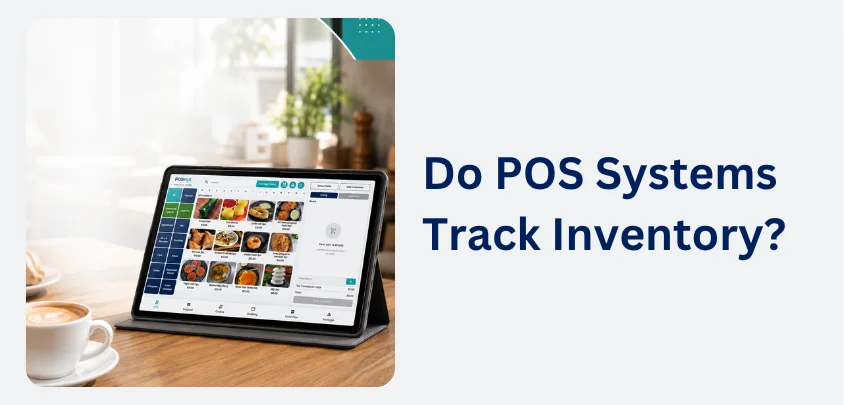
Yes, most modern POS systems track inventory automatically by updating stock levels every time a product is sold. This gives businesses an accurate view of available stock, reduces manual work, and makes purchasing decisions easier. Whether you run a retail store, café, restaurant, or convenience store, inventory tracking helps keep products organised and available for customers.
How Does a POS System Track Inventory?
Stock Levels Update After Every Sale
Each product stored in the point of sale system has its own inventory record. When a sale is completed, the system automatically deducts the quantity sold from the available stock.
Real-Time Inventory Records
Because inventory updates happen immediately, staff can see current stock levels throughout the day. This reduces discrepancies between physical stock and the inventory recorded in the system.
New Stock Can Be Added Easily
When a supplier delivers new products, staff simply enter the received quantities into the POS system. The available stock is updated straight away without the need to recreate product records.
Supplier Deliveries
Many top POS systems also record supplier details, purchase costs, and delivery dates, making future stock management more organised.
What Inventory Information Can a POS System Store?
Product Details
Most POS systems allow businesses to store detailed information for every product, including:
- Product name
- SKU or product code
- Barcode
- Category
- Selling price
- Purchase cost
Product Variations
Retail businesses can also manage variations such as size, colour, style, flavour, or package type from the same product record.
Stock Information
Inventory management usually includes:
- Current stock quantity
- Stock received
- Products sold
- Low stock alerts
- Out-of-stock items
- Product movement history
This information provides a clear picture of inventory without relying on separate spreadsheets.
What Are the Benefits of Inventory Tracking?
Better Stock Accuracy
Automatic updates reduce the need for manual inventory adjustments after every sale.
Fewer Errors
Accurate stock records help prevent pricing mistakes, duplicate entries, and incorrect inventory counts.
Easier Purchasing Decisions
Inventory reports show which products sell consistently and which products move more slowly.
Smarter Ordering
Business owners can plan future orders using actual sales data, helping maintain appropriate stock levels throughout the year.
Save Time on Daily Operations
Manual stock recording takes time, particularly for businesses with hundreds or thousands of products.
Less Administrative Work
Automated inventory tracking allows staff to spend less time updating records and more time serving customers.
Which Businesses Benefit from Inventory Tracking?
Retail Stores
Retail businesses use inventory tracking to monitor products, barcode scanning, pricing, and stock levels across a wide range of items.
Cafés and Restaurants
Hospitality businesses can track ingredients, beverages, menu items, and packaged products. This helps managers understand stock usage and prepare for busy trading periods.
Multi-Location Businesses
Many cloud-based POS systems allow inventory to be managed across multiple stores.
Inventory Across Different Locations
Business owners can check stock availability, transfer products between locations, and monitor inventory from a single dashboard.
Small Businesses
Even businesses with a small product range can benefit from automatic inventory tracking.
Room to Grow
As more products are added, the POS software continues managing inventory without requiring a separate stock management program.
Final Thoughts
Inventory tracking is one of the most practical features included in a modern POS system. By updating stock automatically, storing product information, and providing useful inventory reports, it helps businesses stay organised and make informed purchasing decisions. Choosing a POS system with reliable inventory management can improve efficiency, reduce stock errors, and support future business growth.
Need a POS System with Inventory Control?
Manage stock automatically, track sales in real time, and simplify your business with POSApt.
Learn About POSApt

